Insecure by Design: Default Configurations in Embedded Systems
This article series aims to provide practical, educational insights into security issues across embedded systems. Each entry focuses on a specific vulnerability category—how it arises, why it matters, and how it can be identified and mitigated in real-world environments.
As connected embedded devices continue to proliferate across homes, industries, and critical infrastructure, their security weaknesses have become increasingly attractive targets for attackers. This article series aims to provide practical, educational insights into security issues across embedded systems. Each entry focuses on a specific vulnerability category—how it arises, why it matters, and how it can be identified and mitigated in real-world environments. All vulnerabilities discussed in this series are well known or have already been patched by their respective vendors.
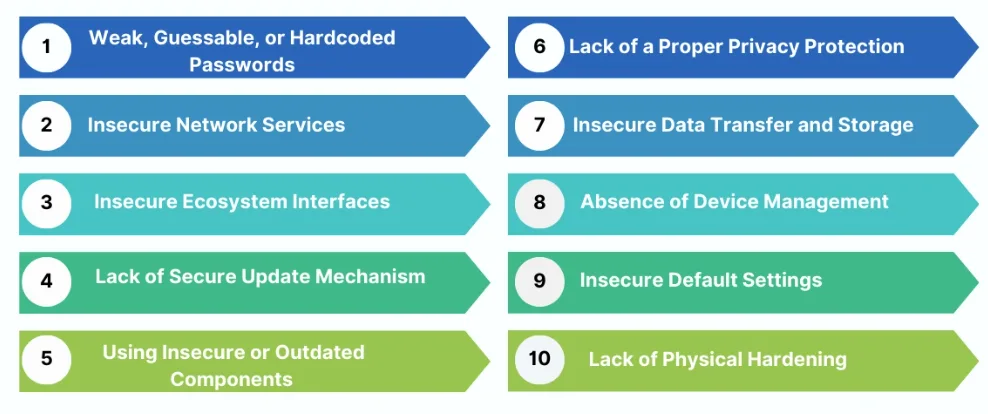
Insecure Default Settings
Even though there are many different types of vulnerabilities, OWASP has fortunately compiled a clear list of the most significant ones. Let’s begin with one of the simplest yet most critical issues found in almost all OWASP Top 10 lists: Insecure Default Settings. By definition, any device or system that ships with insecure default settings—or prevents operators from modifying default configurations to enhance security—falls into this category. These insecure settings may include default usernames and passwords (e.g., admin/admin), unencrypted protocols, or unnecessary services and open ports (such as HTTP, Telnet, and FTP). Attackers can easily exploit these defaults to enroll devices in botnets, gain remote control, or access sensitive data without any authentication. Next, we will review case studies of popular products to illustrate the real-world risks posed by these vulnerabilities.
Case-Study: Kobo eReader
Our first device is the Kobo eReader, a popular product readily available in consumer electronics stores across Canada. Kobo is widely recognized as an alternative to the Amazon Kindle, and the company even offers a dedicated webpage focused on product security. While browsing their website, one statement immediately caught my attention: Kobo claims that their eReaders do not use universal default or easily guessable passwords. From the perspective of an experienced pentester, there’s only one way to find out whether that claim holds true.
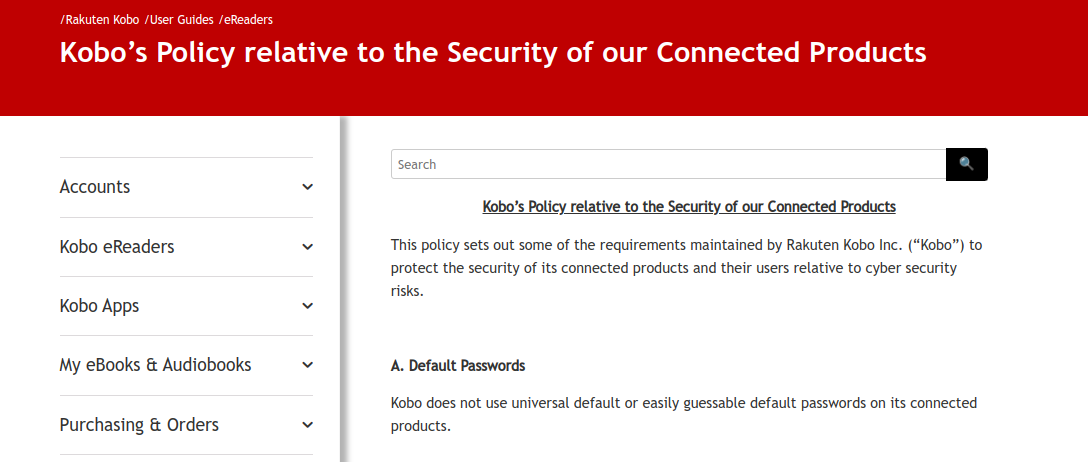
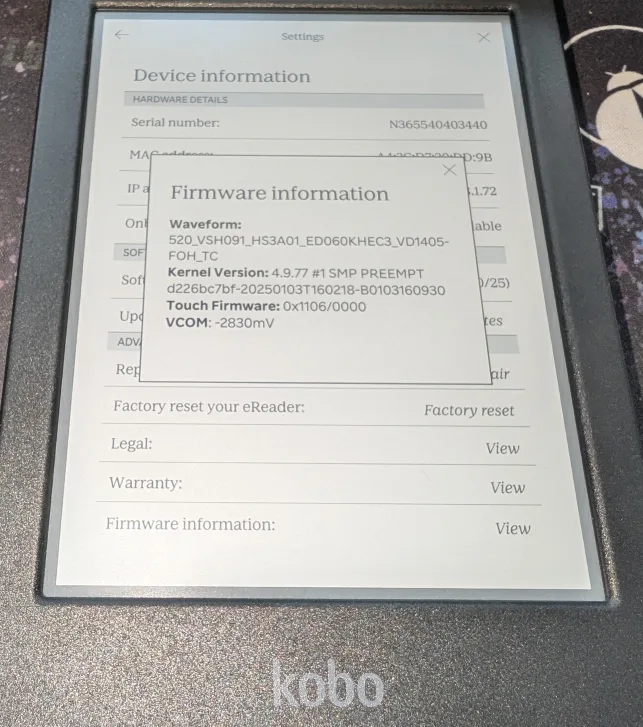
Kobo offers various models and firmware versions of its eReaders. The unit we tested is the Kobo Clara Colour running firmware v4.41.23145, and later upgraded to v4.42.23296 for retesting.
Using a thin blade, the case can be popped open easily. A closer inspection shows that the device is powered by a MediaTek ARM processor and uses an eMMC chip for storage, which is an upgrade from the earlier models that relied on SD cards for file storage.
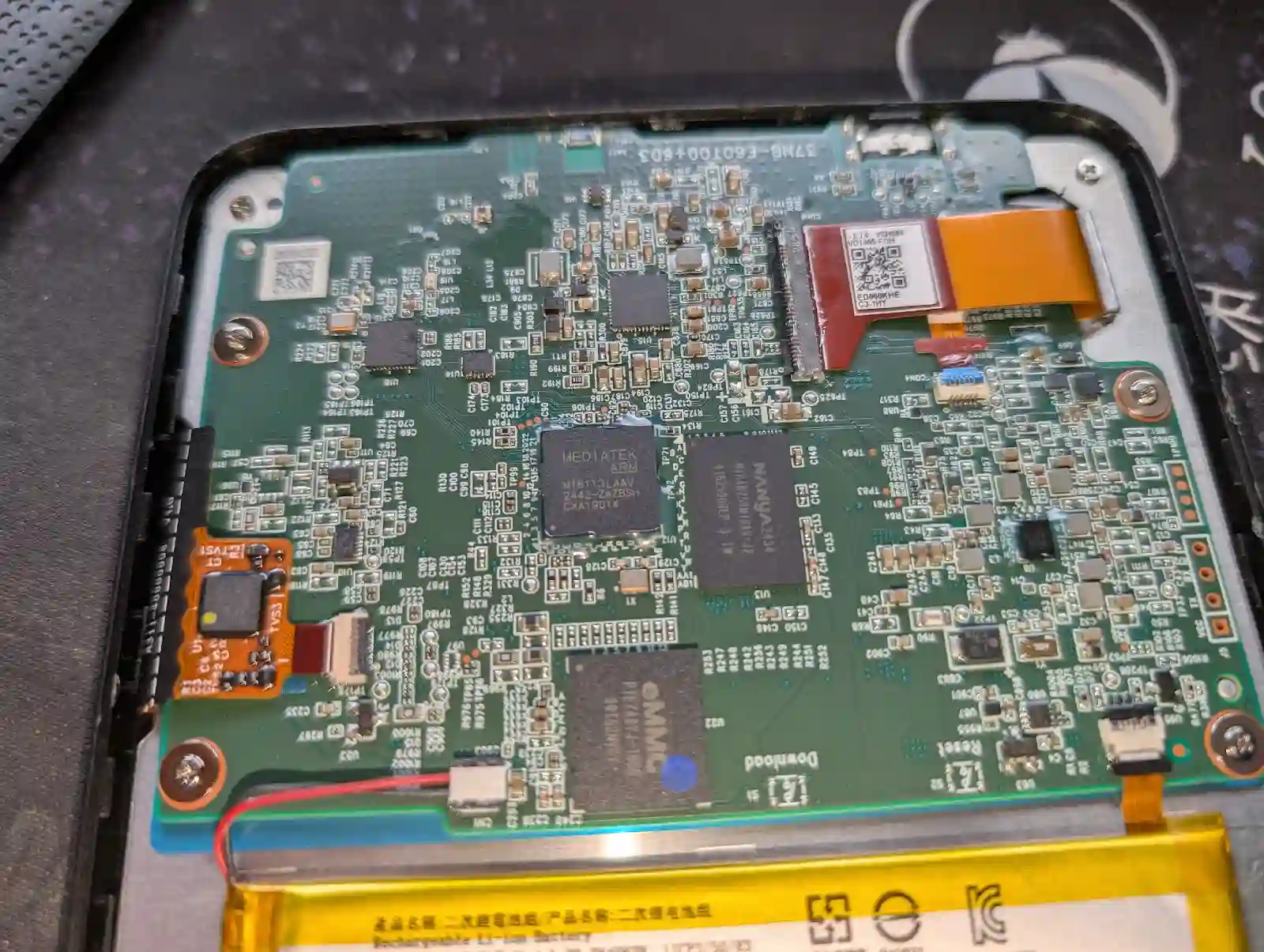
What really caught my attention was the presence of clearly labeled debug ports, with the TX/RX pins indicating UART connections.
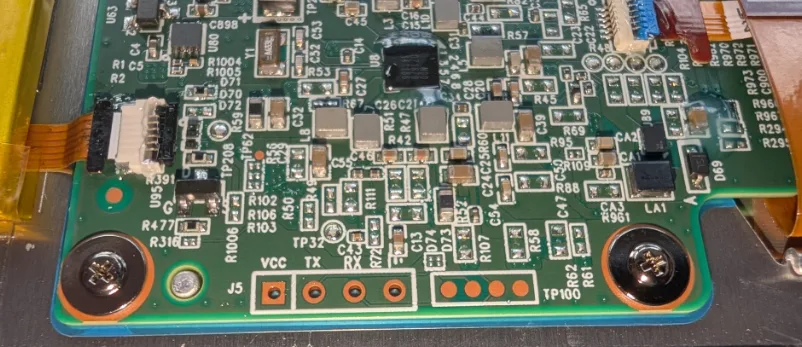
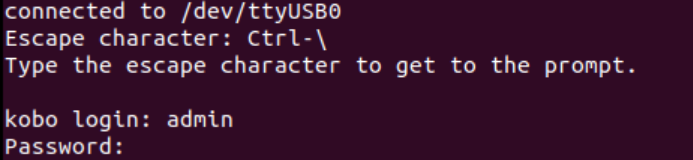
After identifying the correct baud rate, we were able to receive readable output and were greeted with a login prompt from the Kobo eReader. The next question was obvious: what are the credentials?
When the Kobo eReader is powered on for the first time, it contacts the remote server to check for firmware updates. The device also supports firmware updates with a USB connection. We can download the firmware directly from a third-party website for inspection. We found that until Kobo firmware version 4.41.23145, the device’s /etc/passwd file contained a secret admin account with a password hash.
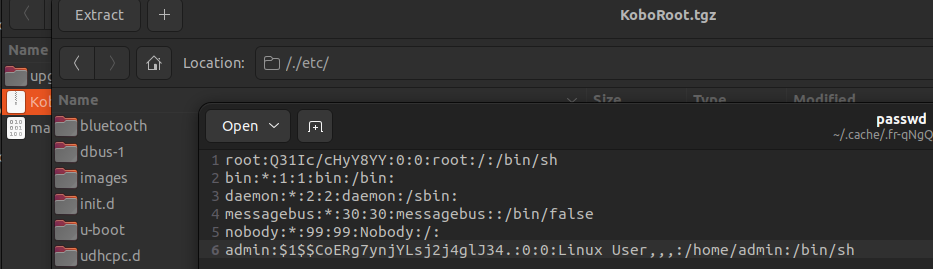
The default credentials turned out to be the infamous “admin/admin” pair. This finding directly contradicts Kobo’s claim that they do not use universal default or easily guessable passwords.

We were then able to verify this by logging into the Kobo eReader using those credentials, which granted us root privileges.
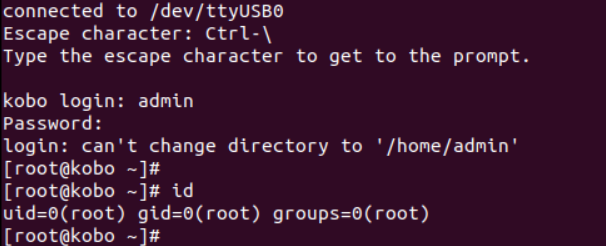
Later, Kobo released firmware patch v4.42.23296 in May 2025, which appears to have addressed this issue. By testing this patch, we confirmed that the admin account has been removed.
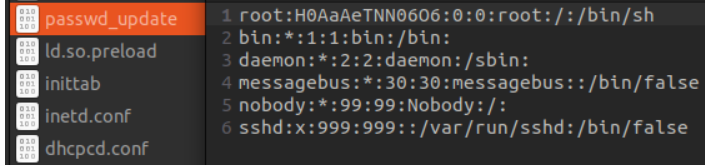
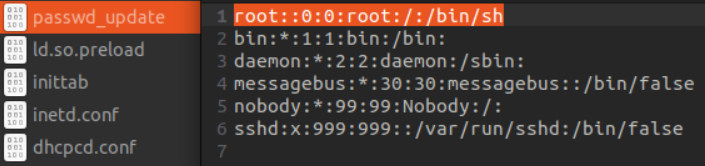
However, another insecure default setting remains. The Kobo eReader does not implement key signing for the firmware. As a result, an attacker can remove the root password, update the firmware, and easily regain root access to the device.
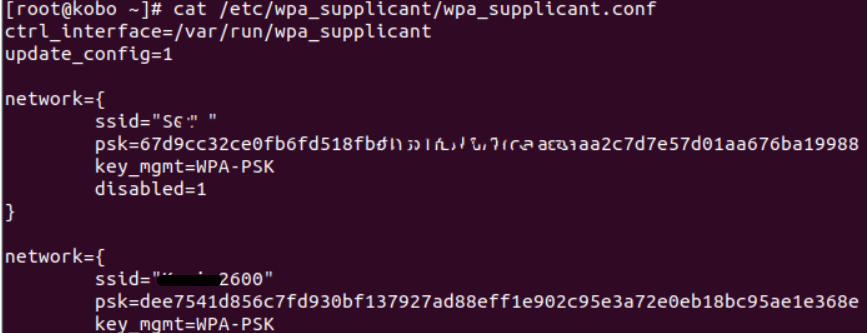
Once we gained shell access to the Kobo eReader, post‑exploitation of the device became effortless. For instance, the wpa_supplicant.conf file located in /etc/wpa_supplicant/ stores the plain‑text encryption keys for every Wi‑Fi network the device has ever connected to. An attacker could use this information as a stepping‑stone to further penetrate the surrounding network.
Case-Study: Bitcoin ATM
Web3 and cryptocurrency security have received a lot of attention over the past few years; however, cryptocoin ATM security remains an area that is far less explored. Are these machines secure? How easy is it for an attacker to gain full control? In this case study, we demonstrate how basic physical access—combined with insecure default settings—can allow an attacker to fully compromise and even potentially “jackpot” a Bitcoin ATM.
The vendor was notified and asserts that the identified issues have been remediated. Since this vulnerability can potentially have a severe impact on the ATM users' finances, the brand will remain unnamed.

The ATM that we hacked looks just like any other ATM that you would find at a shopping mall; the only difference is that it is used exclusively for buying and selling Bitcoin and other cryptocurrencies. On the touchscreen, it displays the current prices of various cryptocurrencies. Everything appears straightforward and easy to use… what could possibly go wrong?

Anyone with experience in pentesting kiosk machines knows that randomly tapping around the interface can sometimes trigger unexpected behavior, such as a login prompt appearing or a hidden function being exposed. And that’s exactly what happened here. By tapping the edge of the screen, we discovered that a hidden, but quite familiar, configuration window would pop up.


From there we accessed the full control panel, and by tapping on the system logo, the details of the OS were revealed: Windows 10.
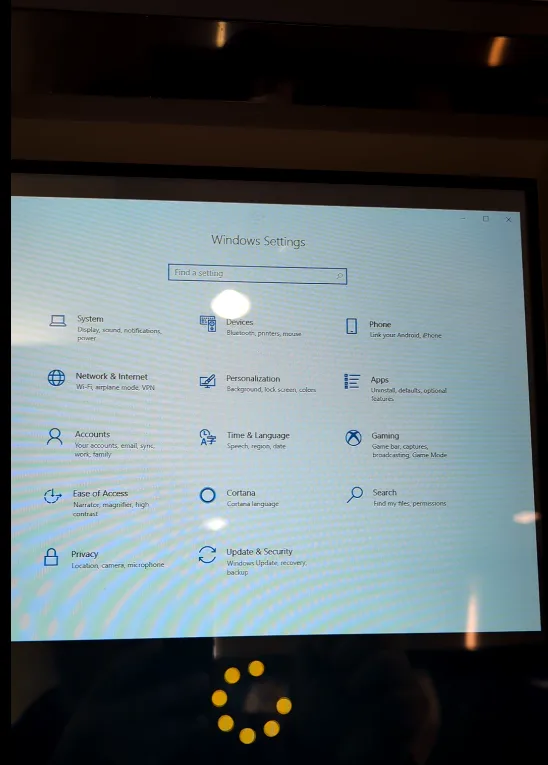
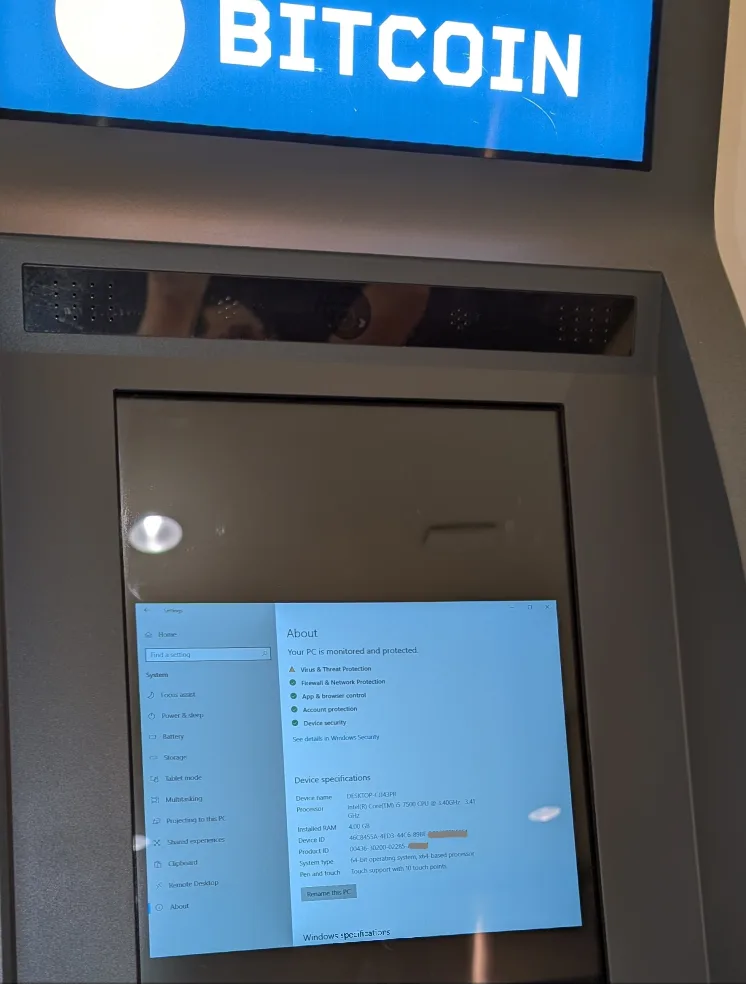
We were able to bring up a command prompt, where we discovered that the system ran on an account with administrative privileges. Additionally, Internet access was completely unrestricted, and we could even see other ATMs on the same network, which made lateral movement entirely feasible.
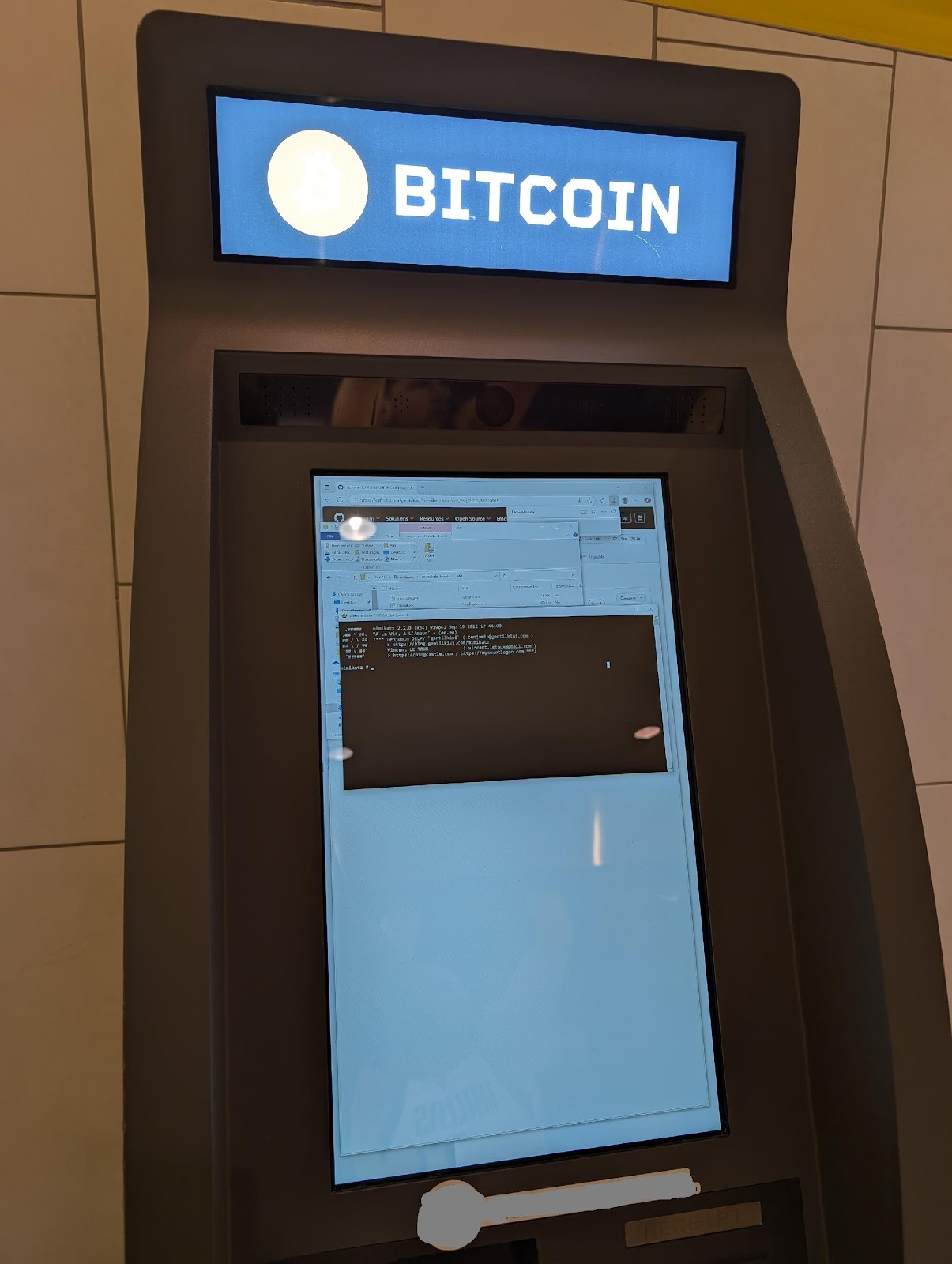
For demonstration purposes, we temporarily disabled the system’s built-in defender so we could download and execute the well-known Mimikatz (A powerful tool for Windows that extracts plain-text passwords from memory) on the ATM.
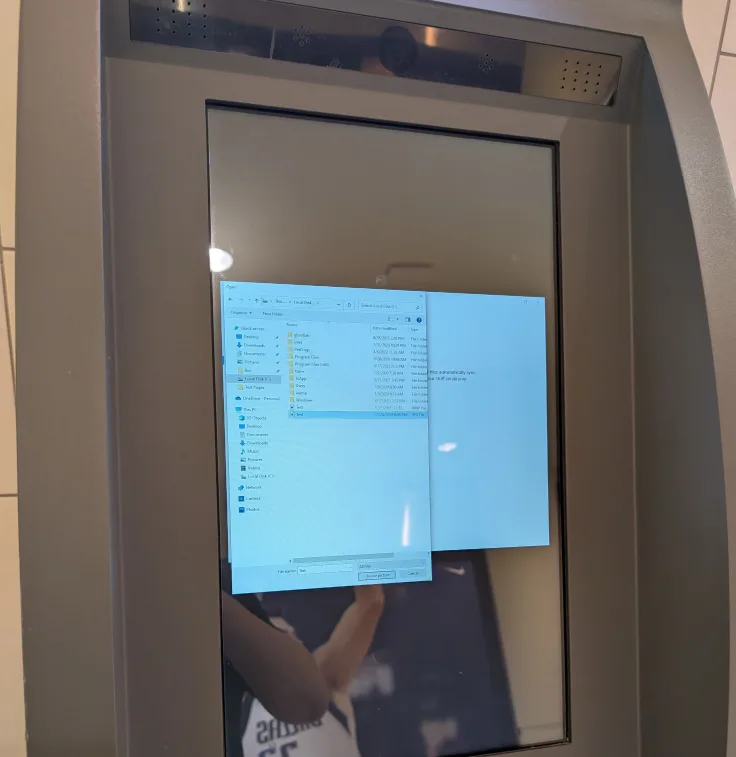
We were also able to open a File Explorer window and access all locally stored files, including the ATM application file and its configuration files. We stopped at this point, but a malicious attacker could easily go further; they may reverse-engineer the executable and—if they’re lucky—jackpot the ATM by withdrawing all funds from it.
And finally, who could possibly resist playing DOOM on a Bitcoin ATM? :P But in all seriousness, this case study shows that compromising a Bitcoin ATM can be surprisingly easy when insecure default settings are left in place. I strongly urge vendors to ensure that their products are properly secured before shipping them. Additionally, I encourage Canadian regulators to take this emerging field seriously and invest the necessary attention and oversight.

Securing Embedded Devices Against Default Misconfigurations
The lesson learned from the real-world case studies above is that insecure default settings can lead to unexpected outcomes that can potentially damage a company’s brand or even disrupt entire business operations. Therefore, to help mitigate this vulnerability, ensure that the system is configured to force users to change default credentials during setup, and that the system disables all unused services or ports to minimize the attack surface. Additionally, as a best practice, engage with experienced penetration testers to conduct a comprehensive security inspection.
The insecure defaults documented in this post are a reliable finding in IoT security assessments because they're deeply embedded in chipset firmware, SDK defaults, and manufacturing processes that few organizations audit before shipping. If your product relies on embedded components, a IoT penetration testing engagement will specifically target default credential exposure, debug interface access, and insecure update mechanisms across your device stack.
References:
CWE-284: Improper Access Control
CWE-1392: Use of Default Credentials
OWASP IoT Top 10 2018 Mapping Project
CWE-1263: Improper Physical Access Control
Kobo Firmware Downloads | Patrick Gaskin’s KoboStuff